Saving data from a DOS command window
The DOS command window has a "cut-&-paste" clipboard
that works differently than most applications. To use it:
step 1:
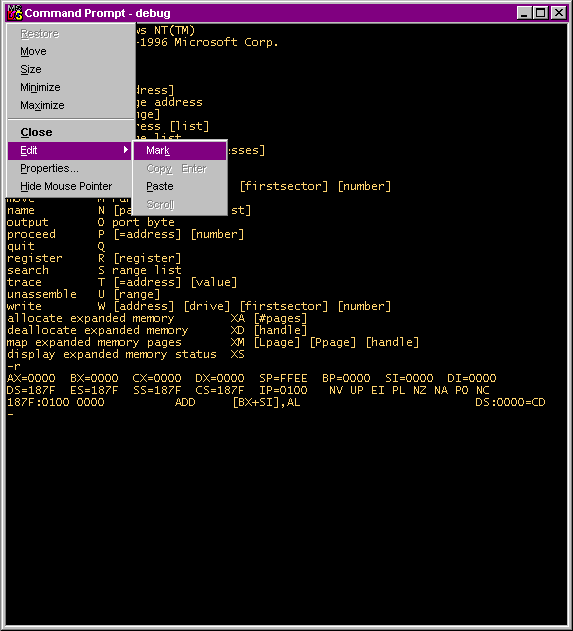
Click the "MS" icon at the upper left in
the window's title bar.
Select Edit / Mark.
|
|
step 2:
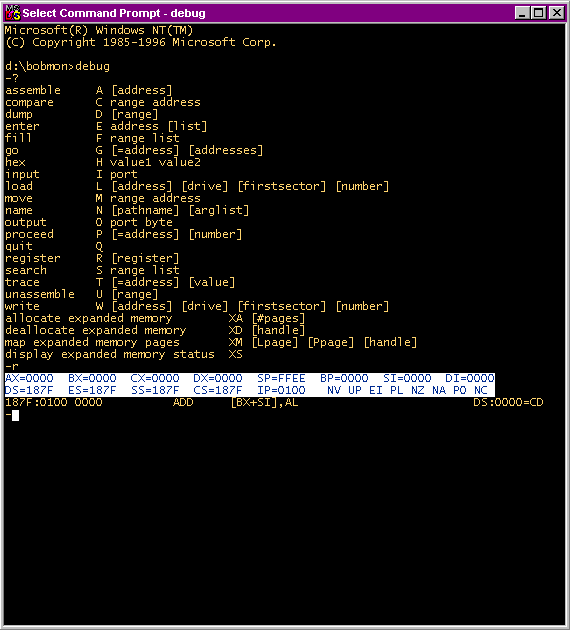
Now highlight the (text) area that you want to copy.
(In this example, the highlighted region is white, with blue letters.)
|
|
step 3:
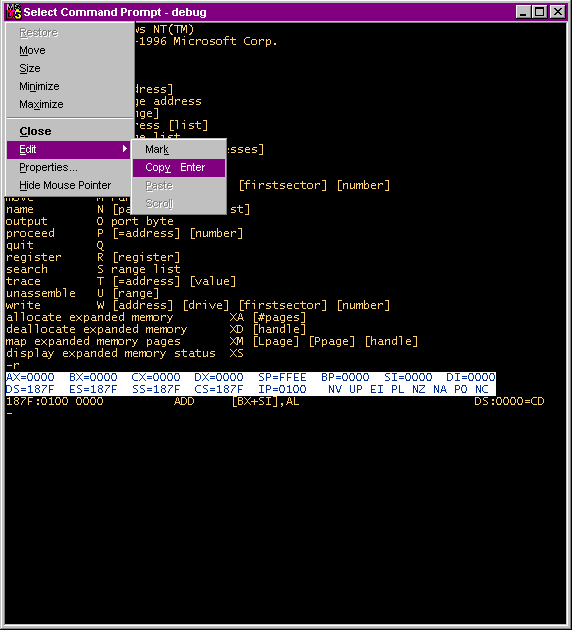
Click the "MS" icon again, and select Edit / Copy.
(Or, just press the <Enter> key.)
|
The selected text has now been copied into the Windows "clipboard".
You can paste the copied text into any other application, such as Notepad
or Word or....